/display/SP/Cropping error detection taken on 2016-09-11.
The original wiki at wiki.opf-labs.org is being decommissioned.
Cropping error detection
Cropping problems
One of the often problems for digital book collections is a wrong cropping during the automated scan process. This method supports analysis of digital collection (e.g. JPG files) for cropping problems during the automated scan process.
In order to detect cropping problems we regard three use cases:
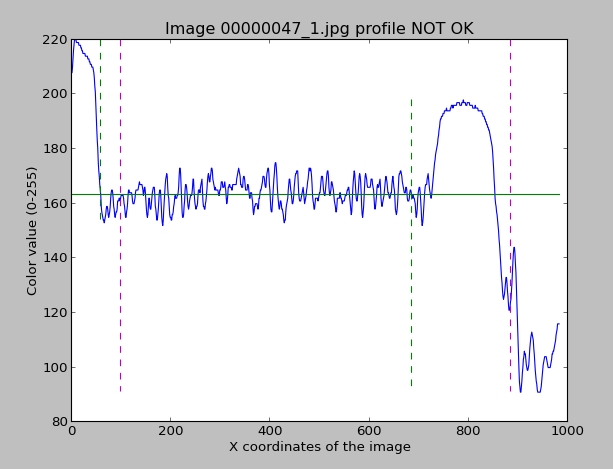
- Text is shifted to the right side of the image and left rand is much wider than right rand.
- There is no gap between gap and image rand - text is cutted by the rand.
- Image comprises part of the text from previous page.
Tool
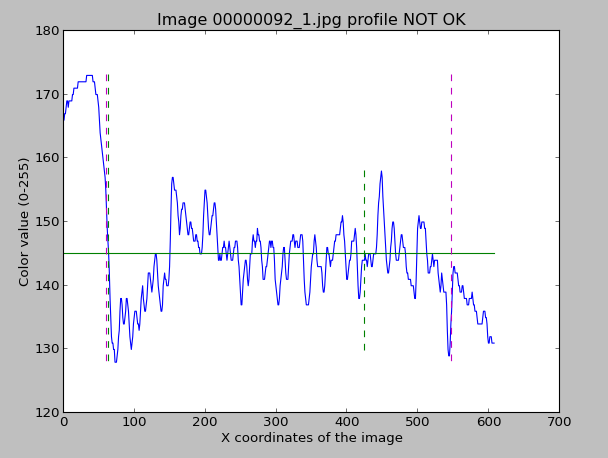
Image profile based image cropping detection in digital book collection for quality assurance employs evaluation paramters that can be defined for each book. Tool works independent of the image size and color.
USAGE
croppingDetection.py [-randdistance=3] [-randrelation=5] [ <source dir> ]
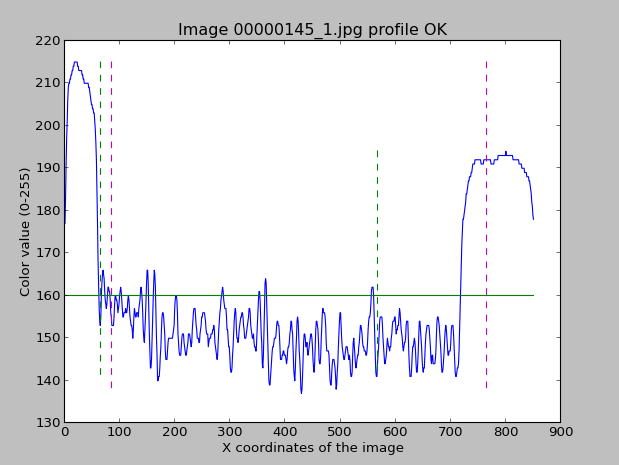
- randdistance: defines which part of the image width on X axis should be analyzed for rand calculation (e.g. 3 means 1/3 part)
- randrelation: defines which relation between left and right rand is acceptible to regard image as OK (e.g. 5 means one rand could be 5 times bigger than other)
Evaluation
We have analyzed a test collection with two correct images and five corrupted images. Our tool correctly detected all corrupted images as corrupted and correct images as correct.
See samples for correct and corrupted image with associated analyzis results.
This is a corrupted image 00000047_1.jpg from Austrian National Library collection with associated profile: 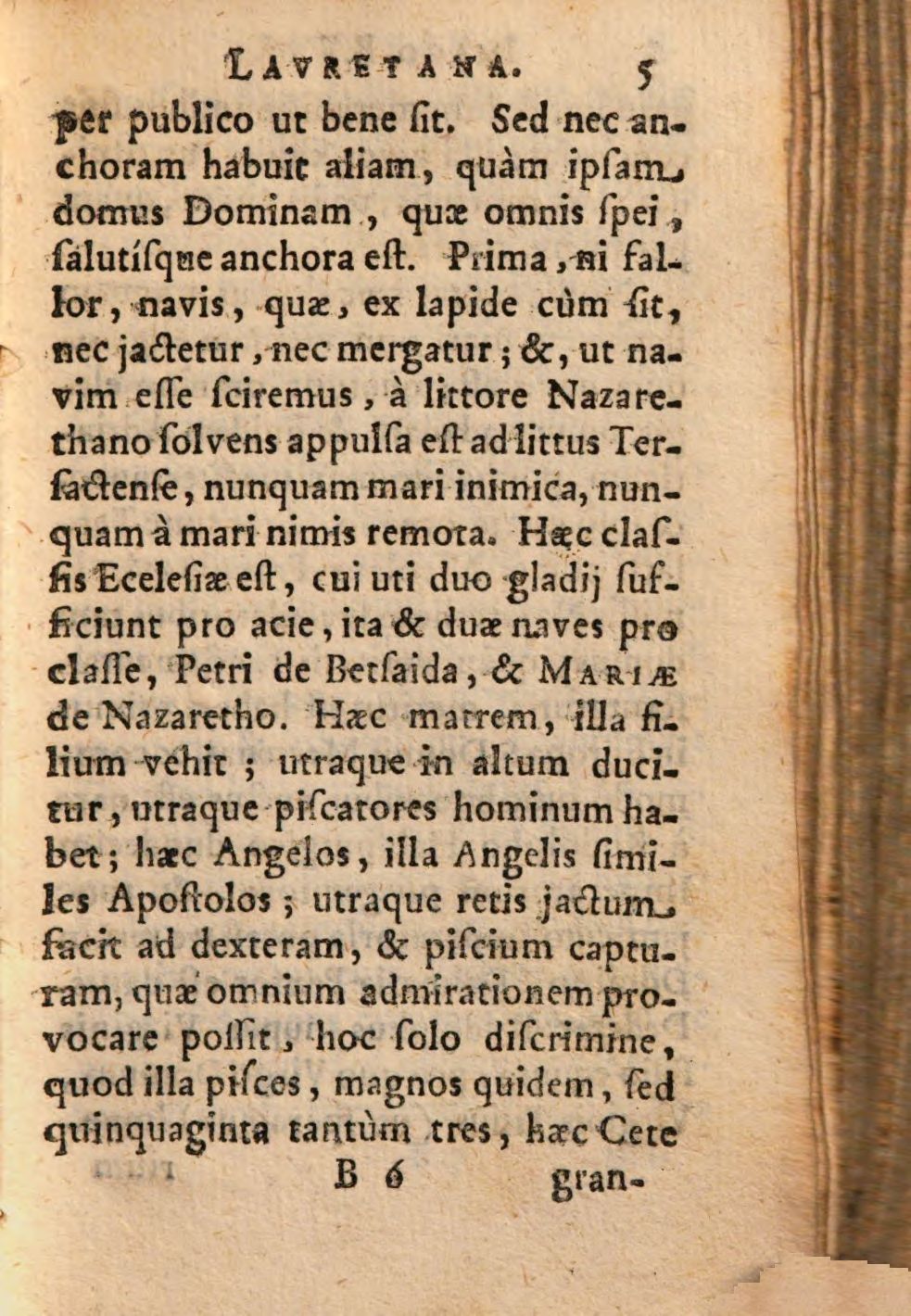
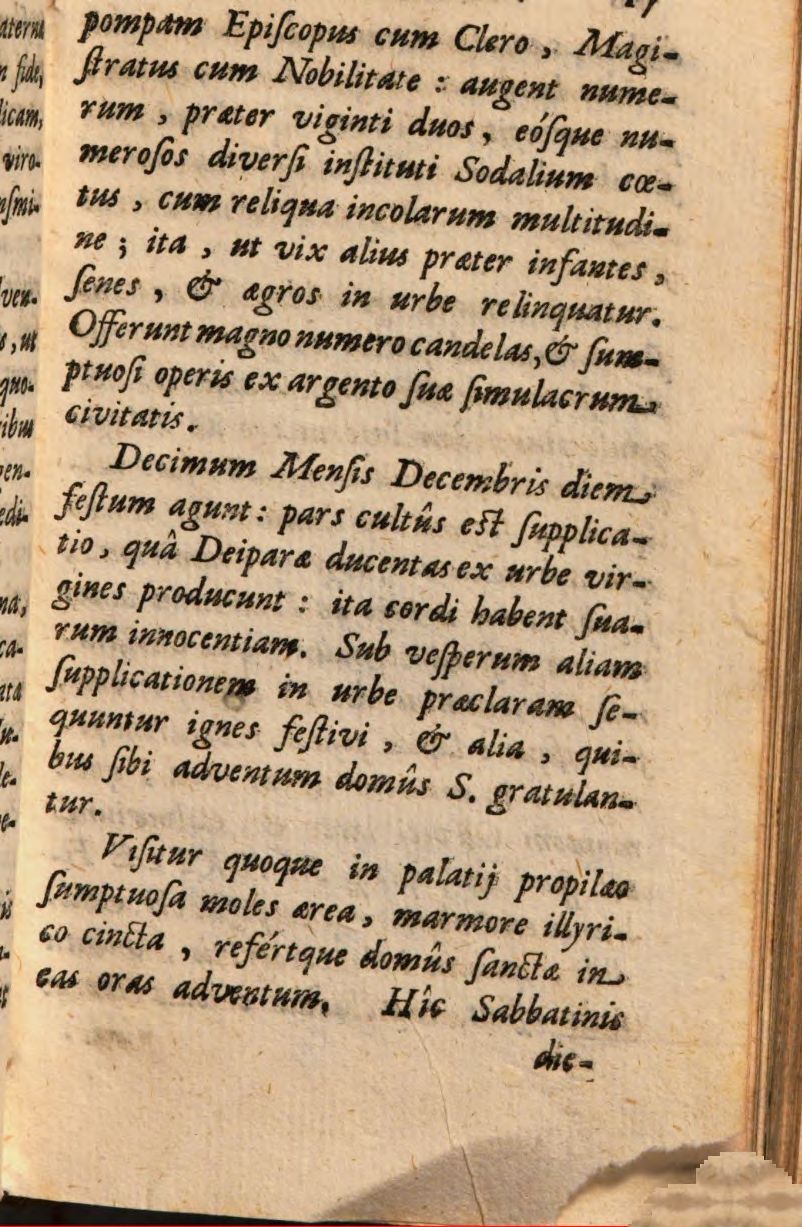
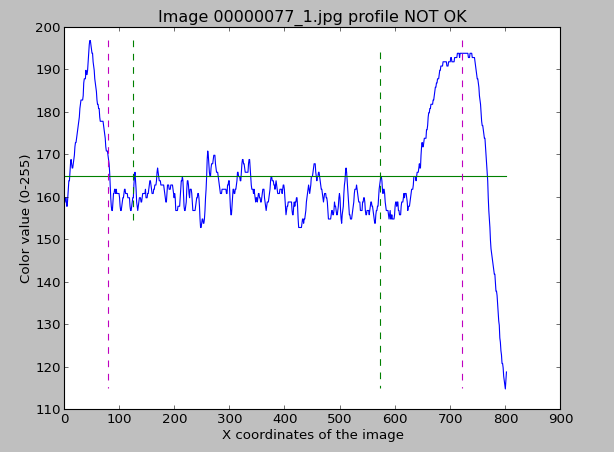
This is a corrupted image 00000077_1.jpg from Austrian National Library collection with associated profile:
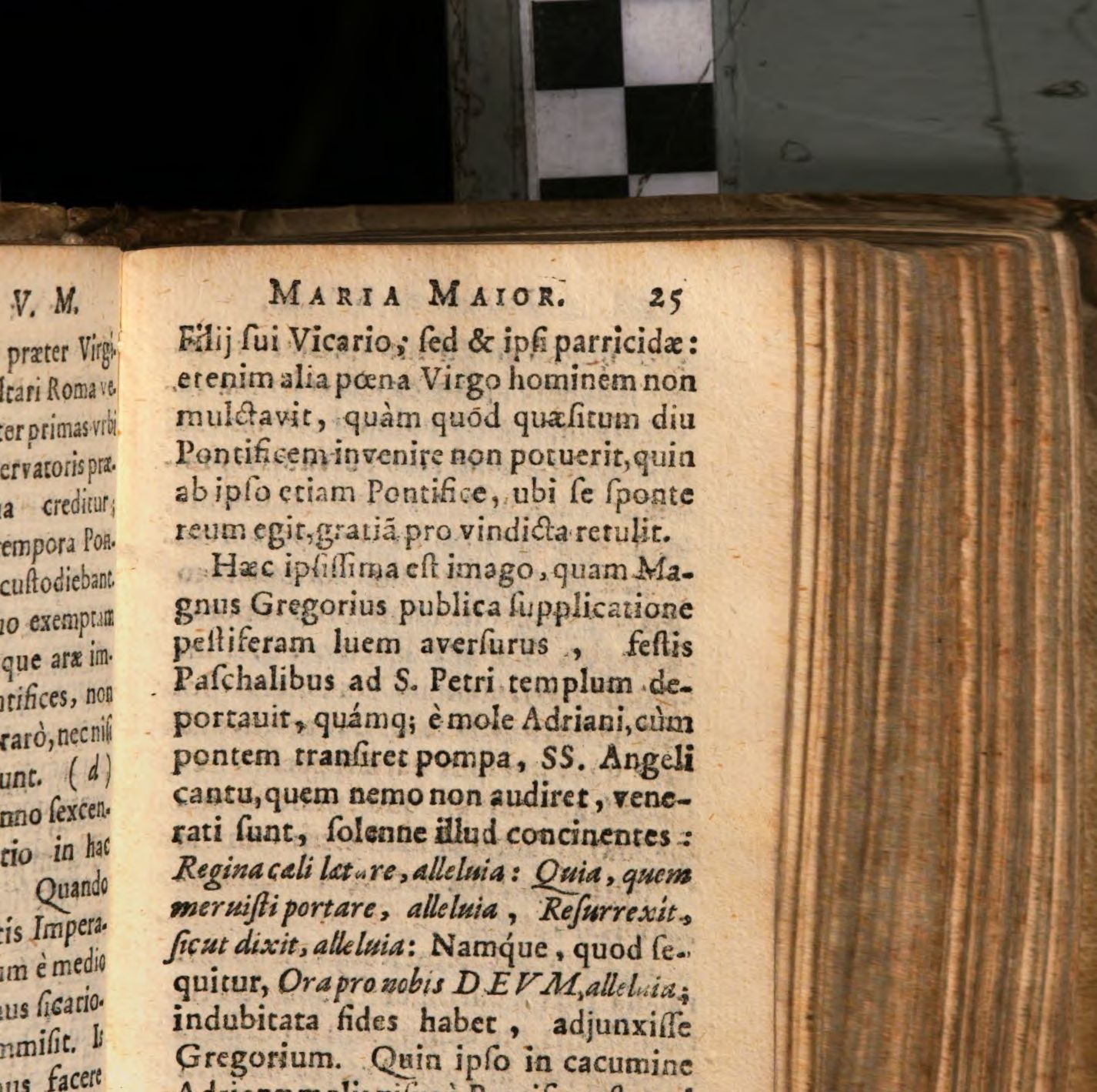
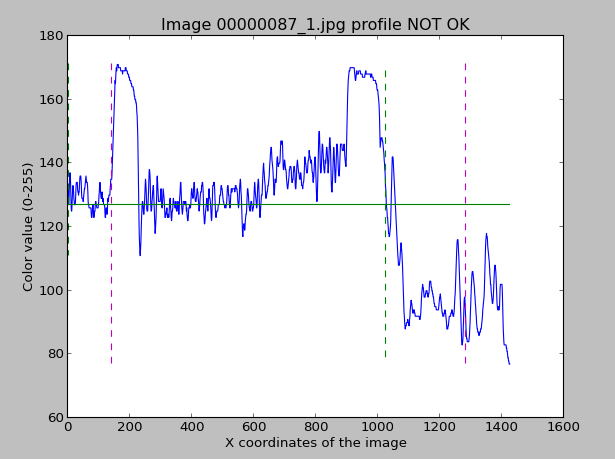
This is a corrupted image 00000087_1.jpg from Austrian National Library collection with associated profile:
This is a corrupted image 00000092_1.jpg from Austrian National Library collection with associated profile: 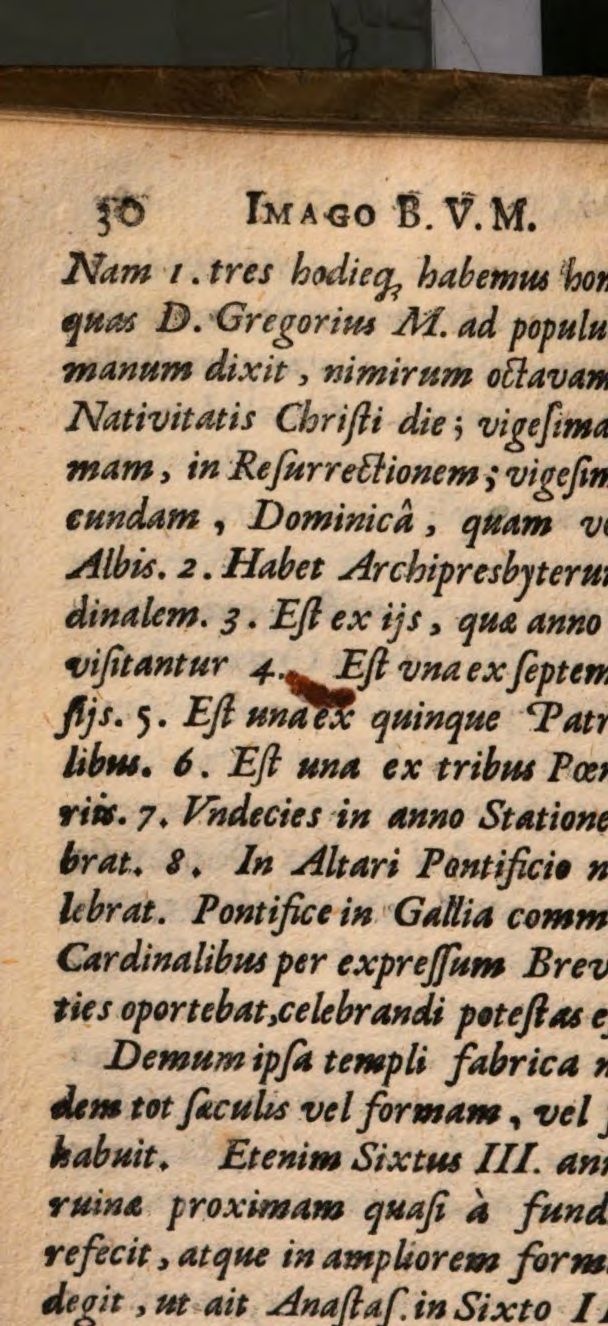
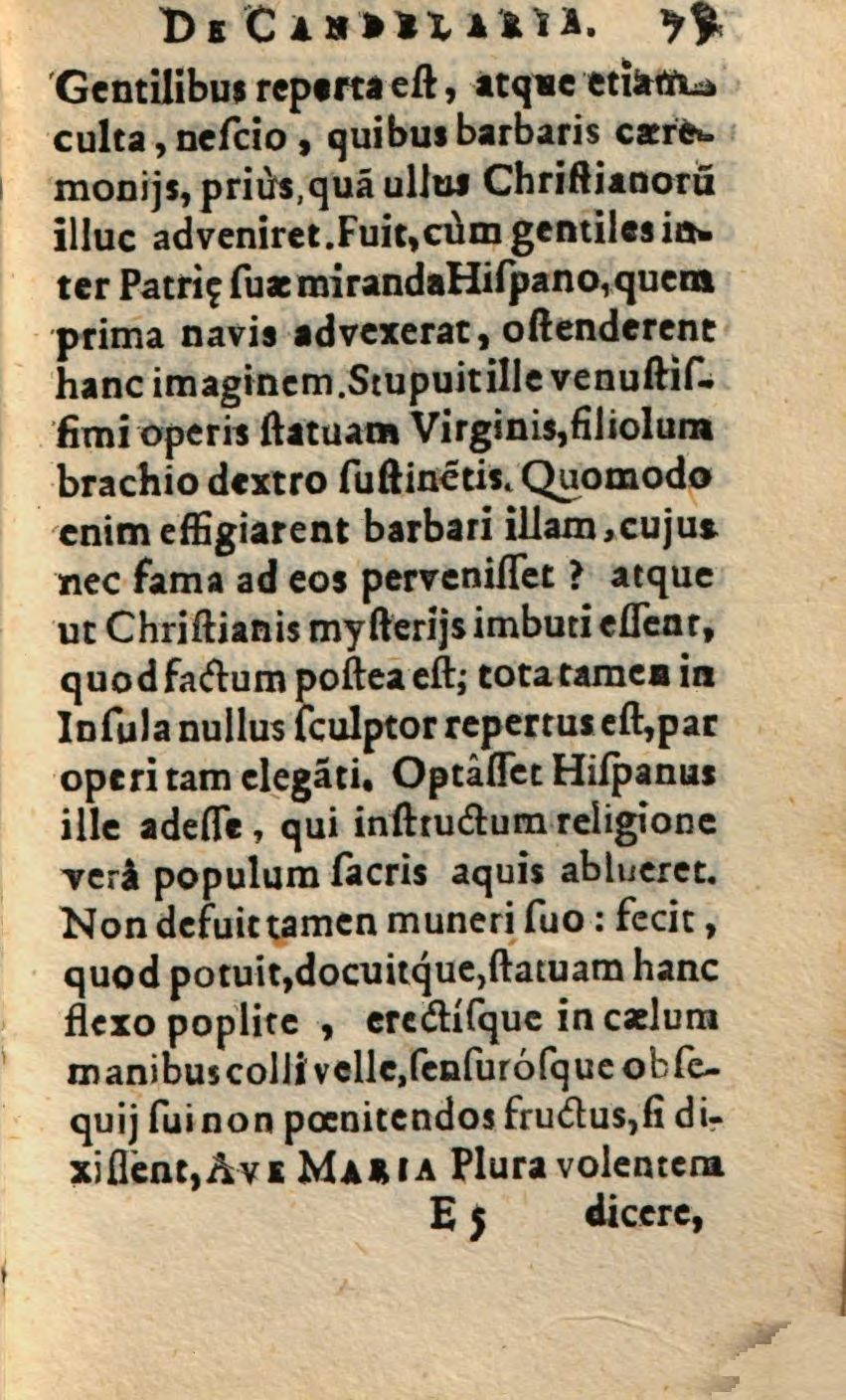
And here is a correct image 000000145_1.jpg from Austrian National Library collection with associated profile: